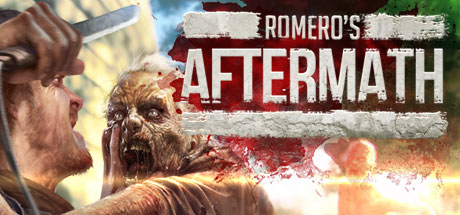

Can I Run Romero's Aftermath?
Free Reign Entertainment · 2015
Play with your friends in a Zombie Infested World as you face the remnants of zombie hordes & rebuild society in a truly massive sandbox world. Choose how you want to play with hundreds of items, skins, weapons, character customizations, base building, crafting, zombies & more!
Can You Run Romero's Aftermath?
Pick your CPU, GPU, RAM and OS — we check each one against Romero's Aftermath’s official minimum and recommended requirements.
Your PC
You can run Romero's Aftermath — and then some
Your PC meets the recommended requirements. Expect a great experience.
| Component | Your PC | Minimum | Recommended |
|---|---|---|---|
| GPU | GeForce RTX 4060 | NVIDIA Geforce 660 | NVIDIA Geforce 970 |
| CPU | Core i5-13400 | i5 2.7ghz | i7 2.4GHZ |
| RAM | 16 GB | 6 GB | 8 GB |
| OS | Windows 11 | Windows 7 64 bit, Windows 8.1 64 bit | Windows 7 64 bit, Windows 8.1 64 bit |
Verdict compares your components against the game’s published requirements using our GPU/CPU benchmark database. Estimates — real performance varies with drivers, settings and cooling.
Estimated FPS at 1080p
GAMERSPECS ESTIMATEEstimated using the GamerSpecs performance model. Actual FPS may vary depending on drivers, cooling, power limits, background applications, and game updates.How is this calculated? →Romero's Aftermath is a demanding violent game from 2015. On a mid-range GPU like the RTX 4060 it averages around 91 FPS at 1080p, while budget cards manage roughly 33 FPS and high-end hardware pushes about 259 FPS. Plan on a dedicated graphics card and check the recommended specs below before buying.
Budget GPU
GTX 1650 / RX 6500 XT
~30–36 FPS
Low Performance
Mid-range GPU
RTX 4060 / RX 7600
~80–100 FPS
Playable
High-end GPU
RTX 4080 / RX 7900 XTX
~235–285 FPS
Excellent
Want your exact FPS? Enter your CPU, GPU and resolution.
Check My PC →Can I run Romero's Aftermath on my graphics card?
Pick your GPU for a straight yes-or-no, an FPS estimate at every resolution, and the settings to run.
Romero's Aftermath System Requirements
The official minimum and recommended PC specs for Romero's Aftermath, component by component.
| Component | Minimum | Recommended |
|---|---|---|
| OS | Windows 7 64 bit, Windows 8.1 64 bit | Windows 7 64 bit, Windows 8.1 64 bit |
| Processor | i5 2.7ghz | i7 2.4GHZ |
| Memory | 6 GB RAM | 8 GB RAM |
| Graphics | NVIDIA Geforce 660 | NVIDIA Geforce 970 |
| DirectX | Version 9.0c | Version 11 |
| Storage | 4 GB available space | 6 GB available space |
Show the full Steam listingHide the full Steam listing
Minimum
OS *: Windows 7 64 bit, Windows 8.1 64 bit Processor: i5 2.7ghz Memory: 6 GB RAM Graphics: NVIDIA Geforce 660 DirectX: Version 9.0c Network: Broadband Internet connection Storage: 4 GB available space
Recommended
OS *: Windows 7 64 bit, Windows 8.1 64 bit Processor: i7 2.4GHZ Memory: 8 GB RAM Graphics: NVIDIA Geforce 970 DirectX: Version 11 Network: Broadband Internet connection Storage: 6 GB available space
Requirements sourced from the official Steam store listing.
Romero's Aftermath — FAQ
Can I run Romero's Aftermath?+
On a mid-range GPU like an RTX 4060 you can expect around 91 FPS at 1080p in Romero's Aftermath. Budget GPUs get about 33 FPS and high-end GPUs around 259 FPS. Use the checker on this page to test your exact CPU, GPU, RAM and OS against the official requirements.
What are the minimum system requirements for Romero's Aftermath?+
Romero's Aftermath needs at least a i5 2.7ghz processor, a NVIDIA Geforce 660 graphics card, 6GB of RAM, 4 GB available space of storage, running Windows 7 64 bit, Windows 8.1 64 bit.
Can Romero's Aftermath run without a graphics card?+
No — Romero's Aftermath is too demanding for integrated graphics. You'll need a dedicated GPU (minimum: NVIDIA Geforce 660).
How much RAM does Romero's Aftermath need?+
Romero's Aftermath officially requires a minimum of 6GB of RAM, with 8GB recommended for smooth performance. 16GB is a comfortable amount for modern gaming overall.
More games to check








FPS values displayed on GamerSpecs are estimates. Actual game performance may vary depending on hardware configuration, drivers, cooling, power limits, background applications, and game updates.